SMS for WooCommerce
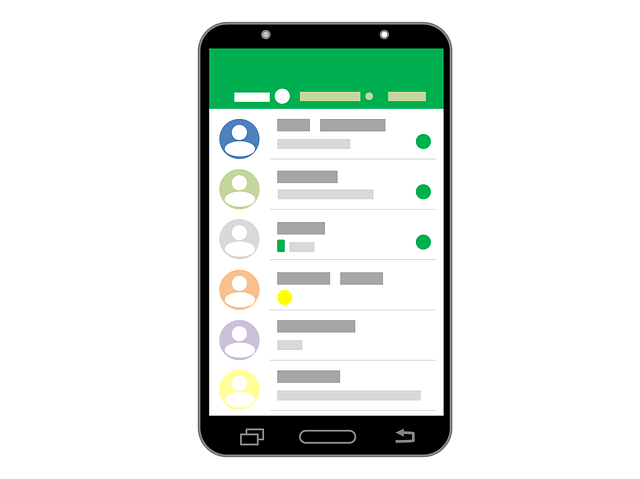
Let your WooCommerce shop automatically send an SMS as soon as an order changes status: confirmed, shipped, ready for pickup. That takes the bulk of the where-is-my-parcel questions away from your customer service — and an SMS gets read, even by people who barely open their mailbox.
Two ways to connect
Which route fits depends on who builds the connection and how much control you want over the timing and the wording of each message.
Through the WP-SMS plugin
Without a developerThe WP-SMS plugin for WordPress supports Smsbox.be as a gateway. You install the plugin, select SMSBOX and enter your API key — after that you set in the plugin which events trigger an SMS.
- No code required, everything from your WordPress admin
- Works for both WordPress and WooCommerce
- The fastest way to get started
WP-SMS is a third-party product; we supply the gateway the plugin sends to.
Set up the pluginStraight through the REST API
With a developer, one-offHook into the WooCommerce hooks and make a single call to our REST API on every status change. That gives you full control over the timing, the wording and the data you pass along.
- Any order status or custom event as a trigger
- Compose the message text entirely yourself
- Delivery status returned into your own system via webhook
Code samples for PHP, Python, Node.js, C#, PowerShell and cURL, plus an OpenAPI specification and an open-source PHP SDK.
Explore the APIConnecting in 4 steps
Account and API token
Create an SMSBOX account and generate an API token; restrict that token to your web server's IP address if you wish.
Choose your route
Install the WP-SMS plugin and select Smsbox.be as the gateway, or connect straight from the WooCommerce hooks via the REST API.
Decide on the moments
Choose which order statuses trigger a message: confirmed, processing, shipped, ready for pickup.
Test and follow up
Place a test order and check the delivery status of the message in your dashboard.
At which order status should you send?
Not every status change deserves an SMS. Two to three messages per order is common: too few leaves the customer in the dark, too many becomes intrusive.
| WooCommerce status | Send an SMS? | Why |
|---|---|---|
processing | Yes | Payment succeeded and the order accepted — the customer wants that confirmation. |
completed | Yes | Shipped or ready for pickup: the moment the customer needs to know or do something. |
on-hold | Sometimes | Useful when you are waiting on a bank transfer and the customer has to act. |
cancelled | Sometimes | Only when the cancellation comes from your side; if the customer cancels, they already know. |
refunded | Sometimes | A refund confirmation prevents a follow-up question to your customer service. |
pending | No | The order has not been paid yet; a message here confuses more than it helps. |
failed | No | A failed payment is better resolved in the checkout than by SMS. |
Example messages
The parts between percent signs are data from the order. Shorten your tracking link with the built-in URL shortener: it saves characters and shows you how many customers actually click.
Thank you for your order %ordernr%. We will keep you posted as soon as your parcel leaves.
Your parcel %ordernr% is on its way. Track it here: %link%
Your order %ordernr% is waiting in our shop. We will hold it for you for 7 days.
Your refund for %ordernr% has been processed. The amount will be in your account within 3 working days.
What may you send?
An order confirmation, shipping notification or pickup message is an operational message: it belongs to the order the customer placed themselves and requires no separate consent. The moment you add a discount code or an offer to it, the message becomes commercial and the opt-in rules apply — including an unsubscribe option in every message.
The same goes for an abandoned cart reminder: that is not a completed order and therefore marketing. Simply ask for that consent at checkout, with a clear checkbox that is not ticked in advance.