Azure / Entra ID integration
Automatically synchronize the contacts from your Microsoft Entra ID (formerly Azure Active Directory) and send SMS messages to your employees and users in just a few clicks. One central source, always up to date — no more manual imports.
- Free to use
- You only pay SMS credits when you send
- Secure OAuth2 connection
How does it work?
In three simple steps you send SMS messages to your entire organization.
1. Connect
Securely link your Microsoft environment through an Azure app registration. A one-time setup — we only request read access to your contacts.
2. Synchronize
Your users and their phone numbers are retrieved automatically from Entra ID. Changes in your directory follow along with every synchronization.
3. Send
Select contacts or groups and send your message — straight from our online tool, to one person or your entire team at once.
See it in action
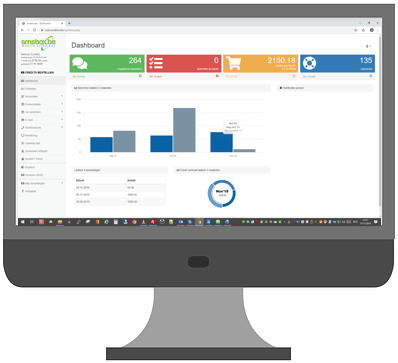
Manage your synchronized Entra ID contacts and send messages, all from the same familiar online tool.
Why the Entra ID integration?
- Always current — contacts stay in sync with your directory
- No more manual imports of Excel or CSV files
- Central management — manage users in Microsoft, use them here
- Fast roll-out — reach your whole organization in seconds
- Secure — OAuth2 connection, read-only access to contacts
- Encrypted — all data travels over an SSL connection
- Selective sending — pick individual contacts or groups
- Compatible with your existing Microsoft 365 environment
Free to use
The Entra ID integration is completely free: no set-up fee, no monthly fee and unlimited synchronization. You only pay SMS credits for the messages you actually send — just like with regular SMS.
Ideal for
Internal notifications
Alert employees about incidents, closures or urgent updates.
Safety & HR
Quickly reach your entire team with important announcements or reminders.
Planning & shifts
Send rosters, changes or call-outs to exactly the right people.
Need a different integration?
Working with another service or platform? Alongside Microsoft Entra ID we build integrations on request. Customers can also request a new integration directly from their smsbox account, under Integrations.
Request an integration