Send bulk SMS — mass SMS to thousands of recipients in one go
Bulk SMS, also known as mass SMS or mass texting, is sending the same message to an entire contact list in a single operation. You import an Excel file or pick a group from your phone book, personalize with tags, send immediately or on a schedule, and track message by message whether it arrived. There is no upper limit on the number of recipients.

Bulk SMS at SMSBOX in figures
There is no upper limit on the number of recipients per campaign. Large sendings are processed in the background, so you can close the window while the campaign runs and follow the progress live in your dashboard.
Setting up a bulk campaign in 4 steps
Prepare your list
Put the mobile numbers in an Excel or CSV file, with an extra column for every detail you want to personalize.
Import the recipients
Upload the file or pick an existing group from your online phone book.
Compose the message
Type your message and use the column names as tags, for example %naam%. Check the preview per recipient.
Send or schedule
Send right away or choose a date and time. Then follow the delivery status of each message in the campaign report.
Your Excel list is your campaign
You don't have to retype any contacts. Upload an .xlsx or CSV file with the numbers and as many extra columns as you like — first name, appointment time, order number, due date. You use those column names directly as tags in your message.
"Dear %naam%, your order %ordernr% is ready for pickup."
Every recipient gets their own version, and before sending you see a preview per contact — so a message with an empty tag never leaves.
Save the list as a group in your online phone book and you can send a follow-up campaign to the same audience with a single click.
Personalize SMS Contact management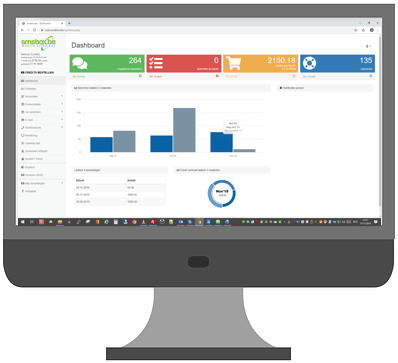
Don't waste credits on dead numbers
Every contact list that has grown over the years contains numbers that no longer exist or were never entered correctly. With a bulk number validation (HLR lookup) you check before sending which numbers are active and which operator they belong to. You upload your list, get the result back as a file and then only send to what remains.
Manually, via Excel or fully automatic?
Bulk SMS can leave in three ways. They don't rule each other out — many customers start with the web interface and switch to the API later.
| Method | When to choose it | Technical knowledge | Typical volume |
|---|---|---|---|
| Web interface | One-off or periodic campaigns you compose yourself | None | 10 to 50,000 per sending |
| Excel import | Lists that come from another system and differ per campaign | None | 100 to 100,000+ per sending |
| REST API | Sending that has to leave automatically from your own software | Developer needed, one-off | Continuous, without an upper limit |

See what happened to every message
A campaign is only finished once you know what it delivered. Per campaign you see how many messages were sent, delivered or refused, and every message has its own delivery status.
If you work with your own system, you can have those statuses forwarded automatically via webhooks. And if you shorten your link with the built-in URL shortener, SMSBOX also counts every click — including the country of the person clicking.
Measure clicks Webhooks & APIUsing bulk SMS correctly
If you send commercial messages to private individuals, you need their prior consent and every message must contain a simple opt-out. For operational messages — an order confirmation, an appointment reminder, an outage notification — the situation is different: they are part of the service the customer requested themselves. Whatever you send, processing takes place on Belgian servers and stays within the GDPR.
Bulk SMS, mass SMS or group SMS?
Three terms that get used interchangeably, but do not mean the same thing.
Bulk SMS = mass SMS
Two names for the same thing: one message to a large list that you put together for each sending, usually from Excel. That is this page.
Group SMS
One message to a fixed group from your phone book, such as a sports team, a class or a department. Nobody sees anyone else's number and the group is ready again next time.
SMS marketing
The commercial use of bulk SMS: promotions and special offers, with prior consent, opt-out via STOP and click measurement.