WhatsApp for Business with Smsbox Notification
Send and receive business WhatsApp messages through our shared sender. No WhatsApp number of your own, no Meta account and no subscription — straight from the online tool or via the API.
- OTP, notifications and two-way communication
- On request: you activate it from your smsbox account, we switch it on
- Pay per message, no monthly cost
Pricing
No subscription, no set-up fee
Smsbox Notification is billed per message with credits, from the same balance as your SMS messages. No monthly cost and no minimum term.
Template message
You start the conversation with a template approved by Meta.
Verification code (OTP)
One-time code via WhatsApp, falling back to SMS.
Session message
Your reply within 24 hours after your customer responded.
Inbound message
Every message your customer sends back to you.
Included in Smsbox Notification
- Send and receive WhatsApp messages
- OTP, notifications and two-way conversations
- Shared sender: Smsbox Notification
- Business communication only — no marketing
- Share photos and images
- Send documents (PDF, Word, ...)
- Emoji and reactions
- Share location and worldwide reach
- SSL encrypted connection
- Online tool available 24/7 and sending via the API
How to activate WhatsApp
WhatsApp is not switched on by default. You request it from your smsbox account and we activate it for you manually.
- 1Create a free smsbox account or log in.
- 2Choose WhatsApp in the menu and click "Request WhatsApp".
- 3We activate WhatsApp on your account, usually within one working day.
You need credits to send and receive WhatsApp messages. Activation itself is free of charge.
Credits are required to send and receive messages. Without credits, communication is not possible.
They are the same credits you use for SMS.
What can you use it for?
Everything runs through the shared number of Smsbox Notification. You need neither your own WhatsApp Business number nor your own Meta account.
Verification codes (OTP)
Send one-time codes via WhatsApp, falling back to SMS when your customer is unreachable on WhatsApp. Read more about OTP and verification.
Notifications
Appointment reminders, order confirmations, delivery updates and payment reminders. They go out from the shared number, with your company name inside the message.
Two-way communication
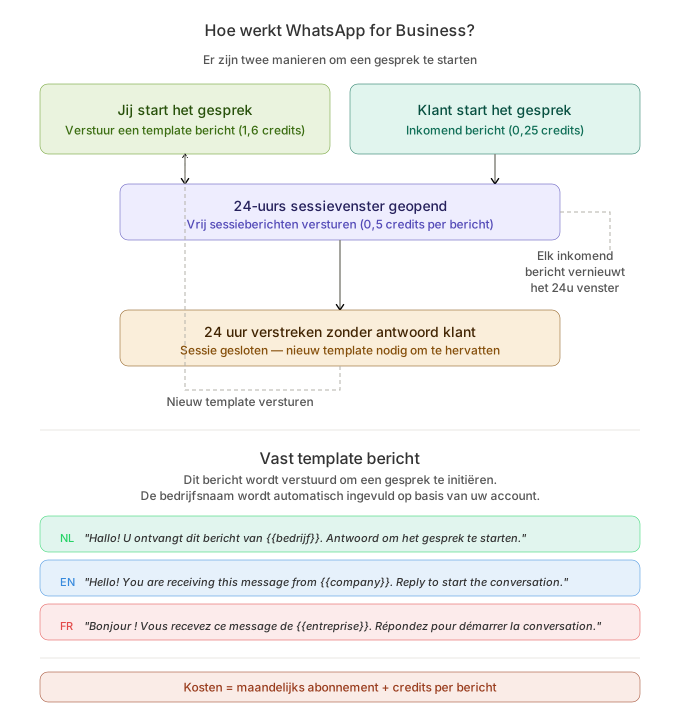
Once your customer replies, you can chat freely for 24 hours in the same conversation. Those session messages cost fewer credits than a template.
How does it work?
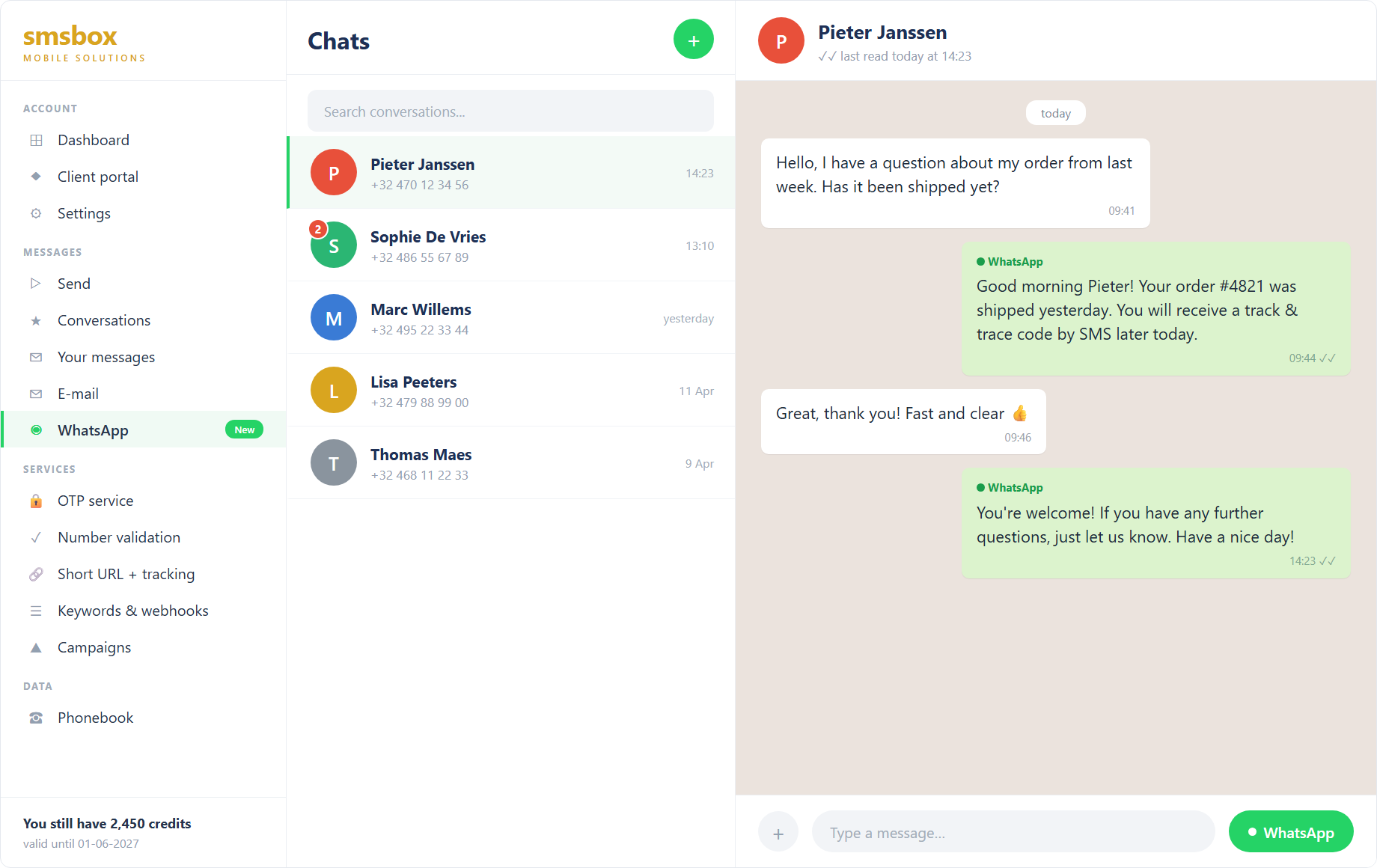
Through our online tool you send WhatsApp messages to your customers. To start a conversation, a fixed template message is used — this message is predefined and cannot be modified. All messages are sent securely via the shared sender Smsbox Notification.
What are template messages?
WhatsApp does not let businesses message just anyone. To start a conversation yourself, you use a template: a message that has been approved by Meta in advance. A template contains placeholders ({{1}}, {{2}}, …) that you fill in for each message, for example with a name or a date. Once your customer replies, you can chat freely for 24 hours without a template.
- Approved by Meta in advance, so always ready to send
- Standard templates are ready to use: appointment reminder, order confirmation, payment reminder and more
- Need a custom template? Request it via the customer portal and we handle the approval with Meta
- Send from the online tool or automatically via the API
Developer? The API documentation explains how to send templates via the API.
1. The template
Dear {{1}}, this is a reminder of your appointment on {{2}} at {{3}}. 2. Your values
["Jan", "21 August", "2:30 pm"] 3. What your customer receives
These standard templates are ready to use
Available as soon as your account is active — in Dutch, French and English. You fill in the placeholders {{1}}, {{2}}, … for each message.
Appointment reminder
Order confirmation
Delivery update
Payment reminder
Verification code
Your own template
Need something else? Request your own template via the customer portal — we handle the approval with Meta, usually within a day.