Group SMS — one message to a whole group, personal for everyone
A group SMS, also called a group text, is a single message you send in one go to a fixed group: your team, all the parents of a class, the club's volunteers or the residents of a neighborhood. You pick the group in your online phone book and every recipient gets an ordinary, personal text on their mobile. Nobody sees the others' numbers, nobody has to install an app and nobody can reply to the whole group.
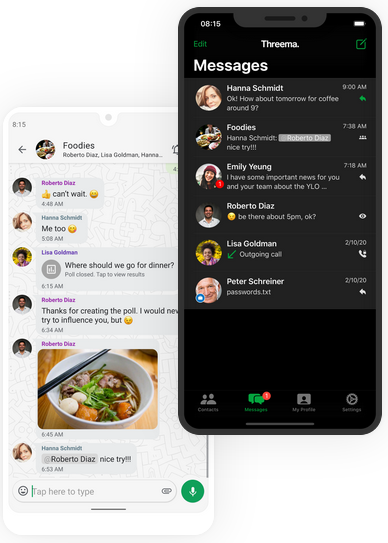
Group SMS, group chat or WhatsApp group?
You can also text several people at once from your own phone, but you quickly end up in a group chat where everyone sees each other's number and every reply lands with everyone. A group SMS sent through a platform works differently.
| What you want to know | Group SMS via SMSBOX | Group chat on your phone | WhatsApp group |
|---|---|---|---|
| Who sees the numbers? | Nobody, every message goes out separately | All participants see each other's number | All members see each other's number |
| App or account needed? | No, an ordinary SMS on any mobile phone | No, but it depends on the device and its settings | Yes, everyone needs WhatsApp and has to join |
| Where does a reply end up? | Only with you, in your dashboard | With the whole group | With the whole group |
| Who manages the list? | You, in your online phone book | Nobody, the group only exists in that conversation | The admins, but members can leave on their own |
| Reach without a smartphone or internet | Yes | Yes | No |
Your groups are ready and waiting in the online phone book
You create a group once and then use it again and again. Import your member list from Excel or add contacts by hand, and spread them over as many groups as you like: per team, per class, per department or per neighborhood.
If your organization works with Microsoft 365, you can have your groups follow Entra ID. Anyone who joins or leaves then ends up in the right group automatically.
Sending a group SMS in 4 steps
Create a group
Create a group in your phone book and import the numbers from Excel, or add the contacts one by one.
Choose the group
When sending, pick the group instead of individual numbers. Several groups at once works too.
Type your message
Type your message once. With a tag such as %naam%, everyone still gets a personal greeting.
Send or schedule
Send right away or choose a date and time. Afterwards you see per recipient whether the message arrived.

Replies come to you, not to the whole group
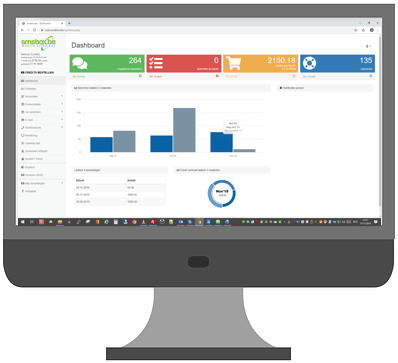
If you send from a virtual number or our shared shortcode, every recipient can simply reply. That reply reaches only you, in your dashboard, by email or via a webhook. The rest of the group never notices.
That also turns a group SMS into a quick poll: who is coming, who can drive, who takes over the shift. You see per member what they replied.
"Match on Saturday at 2 pm, meet at the clubhouse at 1.15 pm. Reply YES if you're in."
One message to the whole team, every reply separately to the coach.Who is group SMS made for?
Sports clubs
A cancelled training session or a changed departure time, straight to the whole team and all the parents.
Read moreSchools
Notify all the parents of one class or of the whole school, without a group chat.
Read moreMunicipalities
Notify the residents of one neighborhood or street about roadworks, a water outage or an emergency.
Read moreTeams and staff
An urgent call-out or a shift swap to a whole team: by SMS, and as a Teams message too for anyone at their desk.
Read moreAssociations and volunteers
Reach members and volunteers when speed matters, including those without a smartphone.
Read moreGroup SMS, bulk SMS or SMS marketing?
Three terms that get used interchangeably, but do not mean the same thing.
Group SMS
One message to a fixed group from your phone book, such as a sports team, a class or a department. The group is simply ready again next time. That is this page.
Bulk SMS or mass SMS
One message to a large list that you put together for each sending, usually from Excel: thousands of recipients in one go.
Send bulk SMSSMS marketing
The commercial use of it: promotions and special offers, with prior consent and an opt-out in every message.
Guide to SMS marketingWhat does it cost?
A group SMS to 40 members counts as 40 messages. You only pay for what you send, with prepaid credits: no subscription, no setup fee and no charge per group or per contact.
- One SMS to Belgium or the Netherlands costs 1,6 credits; the bigger the package, the lower the price per message
- Prepaid credits, no subscription or setup fee
- Credits stay valid for one year
Starting price at high volumes. All prices excl. 21% VAT.
