Send SMS messages via Zapier
SMSBOX + Zapier — automate without code
Connect SMSBOX to 6,000+ apps via Zapier. Automate SMS sending from your CRM, webshop, forms or project management tools — without writing a single line of code.

How does the SMSBOX Zapier integration work?
With Zapier you build a workflow (a Zap) consisting of a trigger (the starting point) and an action (sending an SMS via SMSBOX). No technical knowledge required.
1
Connect your account
Connect to the SMSBOX app in Zapier using your personal API key.
2
Choose a trigger
Select a starting point: new form, new order, new customer, etc.
3
Send SMS automatically
SMSBOX automatically sends an SMS to the specified number on every trigger.
Parameters
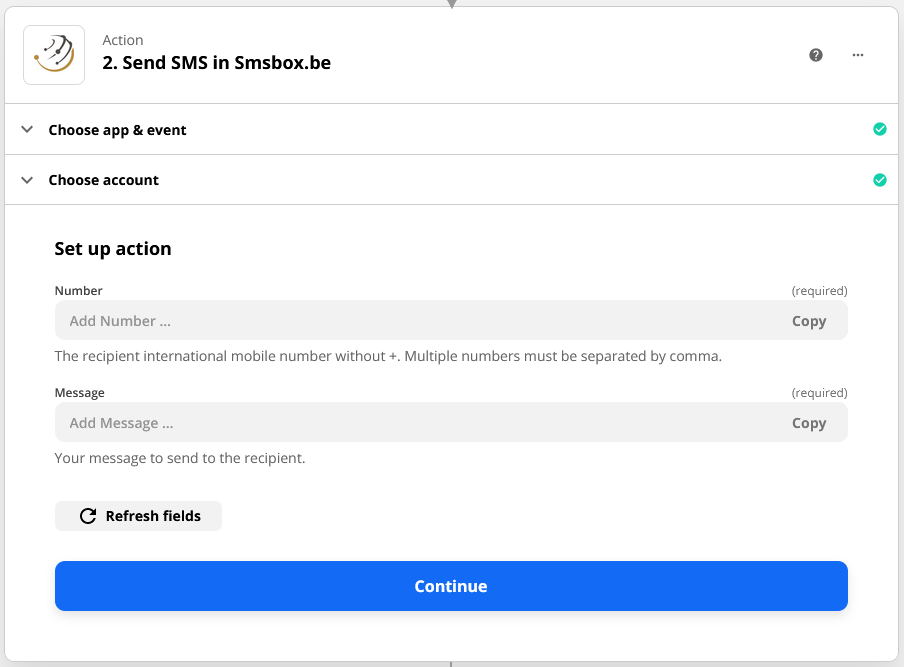
The SMSBOX Zapier action requires three parameters to send an SMS.
| Parameter | Description | |
|---|---|---|
| Required | apikey | Your personal API key — created via your SMSBOX account. |
| Required | number | Mobile number in international format (e.g. 32496123456). |
| Required | message | The content of your SMS message. |
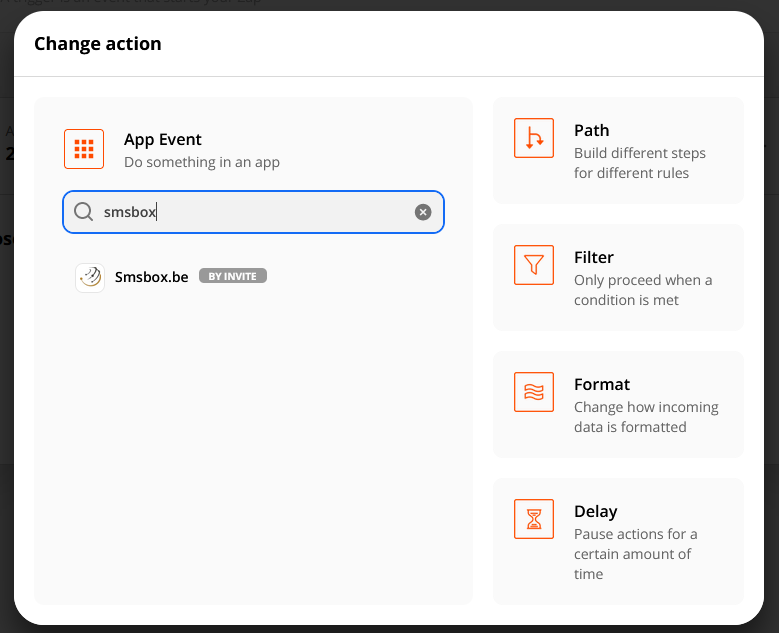
Configuration in Zapier
Need help with the integration?
Contact our team — we're happy to help you set up your Zapier workflows.
Contact us Connect with ZapierFrequently asked questions about Zapier
More than 6,000 apps. You create a workflow (a Zap) with a trigger and an action (send SMS via SMSBOX) — fully visual, without code.
You choose a trigger (e.g. a new form submission or order) and as action "send SMS via SMSBOX". At every trigger, SMSBOX automatically sends an SMS to the specified number.
Three parameters: your personal SMSBOX API key, the mobile number in international format (e.g. 32496123456) and the SMS text.
No, Zapier is fully no-code. You connect your account via your API key, choose a trigger and an action, and the workflow runs.
Virtually any app that creates data can be a trigger: new contacts, orders, customers, form submissions, calendar events and more.